AIDA64 (All Editions) v8.30.8300
Screenshots
Description
AIDA64 Extreme is one of those applications that you want to have around when there’s an issue with a PC and you need to find the cause. It delivers a comprehensive system diagnostics utility that not only retrieves detailed information about the hardware and software configuration of a computer, but it also allows you to diagnose issues and run benchmarks.
Hardware and software configuration report
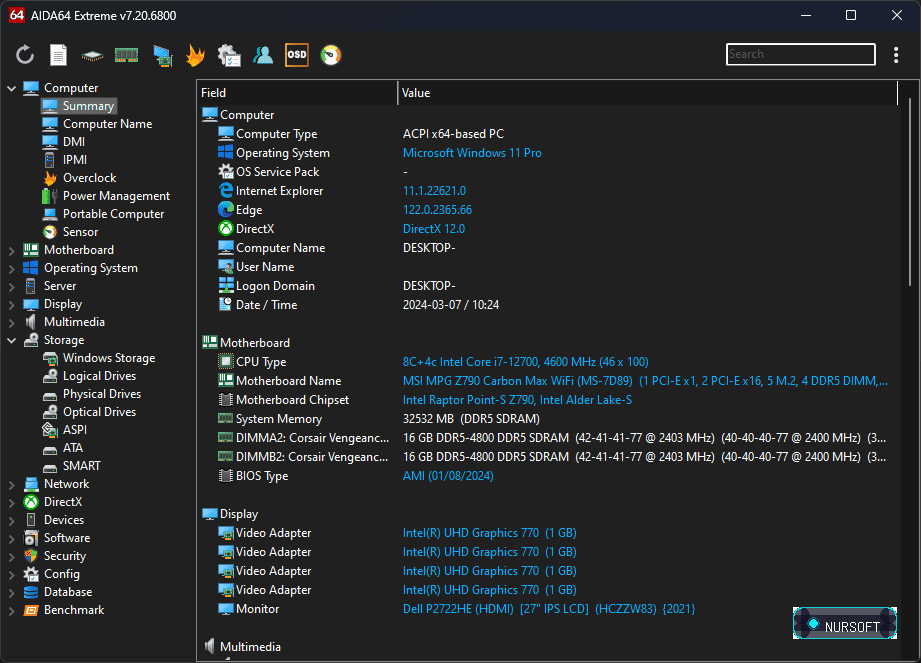
First of all, AIDA64 Extreme can be used to get an extensive report about the components of the local system. You get to explore all the hardware and software components of the local PC and get details regarding the computer type, the operating system and the installed applications.
Information such as the hardware configuration (motherboard, display, storage, partitions, input devices and peripherals) are one-click away in AIDA64 Extreme. Moreover, detailed info can be obtained when it comes to the operating system (e.g. processes, system drivers, DLL files), multimedia-related issues (e.g. audio and video codecs) or the network configuration (e.g. routes, IE cookies). In other words, AIDA64 Extreme runs a thorough analysis of each component of the PC.
DirectX, installed software (e.g. scheduled tasks, autostart apps), security-related issues (e.g. firewall configuration, antivirus protection) are also available in AIDA64 Extreme.
Diagnose and assess the system’s performance
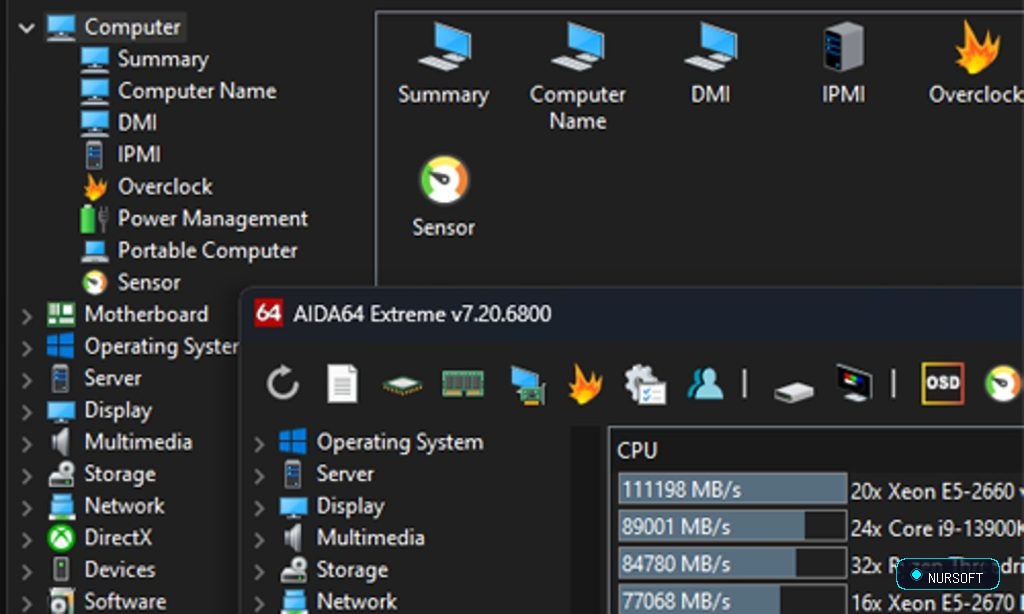
AIDA64 Extreme also acts as a system diagnose tool, providing details about the memory and CPU usage, but that is not all. It comes with benchmarking tools that allow you to put your system to a test and evaluate its performance.
You get to run benchmarks for testing the memory, the processor and the FPU to evaluate the capabilities of the system’s memory. There is memory read, write, copy and latency tests, along with complex benchmarks for the cache, CPU and the FPU.
Advanced reporting capabilities
It is worth noting that AIDA64 Extreme comes with an integrated report wizard that allows you to export computer-related information and save it locally or forward it via email.
Reports can include system summary only, hardware or software-related pages, benchmark pages or a custom selection you make. Please keep in mind that the more information you include in the report, the larger its size.
A powerful system diagnostics and reporting app
Considered one of the industry-leading reporting and diagnostics tools, AIDA64 Extreme gathers extensive system information in a single place, while also providing options for diagnosing and evaluating a computer’s performance. While it could also prove useful for the regular user who needs to get an insight into the computer’s configuration, its capabilities go beyond that, which makes it more suitable for the tech-savvy user.
While the Extreme edition provides more than enough for the regular user, keep in mind that there are also more feature-rich editions of AIDA64, with added network auditing and remote access features: AIDA64 Engineer, AIDA64 Business Edition and AIDA64 Network Audit.
features
- Generic features:
- Low-level hardware information: 47 pages
- Software and operating system information: 45 pages
- Security related information: 6 pages
- DirectX information including Direct3D acceleration features
- Diagnostics module that simplifies troubleshooting
- Tweaking features
- Automatic online update
- Benchmarking features:
- 13 benchmark modules to measure CPU, FPU and memory performance
- Benchmark reference results to compare measured performance to other systems
- Cache & Memory Benchmark Suite
- Hard disk, optical drive and flash drive benchmarking with RAID array support
- Unique features:
- UpTime and DownTime statistics with critical errors counter
- Monitor Diagnostics to check the capabilities of CRT and LCD displays
- System Stability Test with thermal monitoring to stress CPU, FPU, memory, caches and disks
- Hardware Monitoring to monitor system temperatures and voltages on the System Tray, OSD, Vista Sidebar or Logitech keyboard LCD
- SensorPanel
- Temperature, voltage and fan RPM data logging to HTML and CSV log files
- Overheating, voltage drop, overvoltage and cooling fan failure detection
- High Definition Audio and OpenAL sound card details
- AMD Stream, Direct3D Compute Shader, nVIDIA CUDA, OpenCL GPGPU device information
- Smart Battery information
- Web links: IT portals, software and driver download
- Manufacturer links: product information, driver and BIOS download
- Hardware information database for over 121,000 devices
- Overclock information
- Fully localized user interface: 35+ languages
- No installation or setup procedure required
System Requirements
Ready to Download?
Choose your preferred mirror below. Downloads are fully scanned and verified safe.